
Annotation and Caption QA
A concept render can look clear while leaving the review question unresolved. A callout may point toward the right area yet fail to show whether the team is discussing proportion, finish, access, or a production assumption.
This render annotation checklist treats each note as a small review record. It helps a reviewer trace what the image communicates, what remains open, and which question should move into the next artifact. The render remains a concept preview, not product validation.
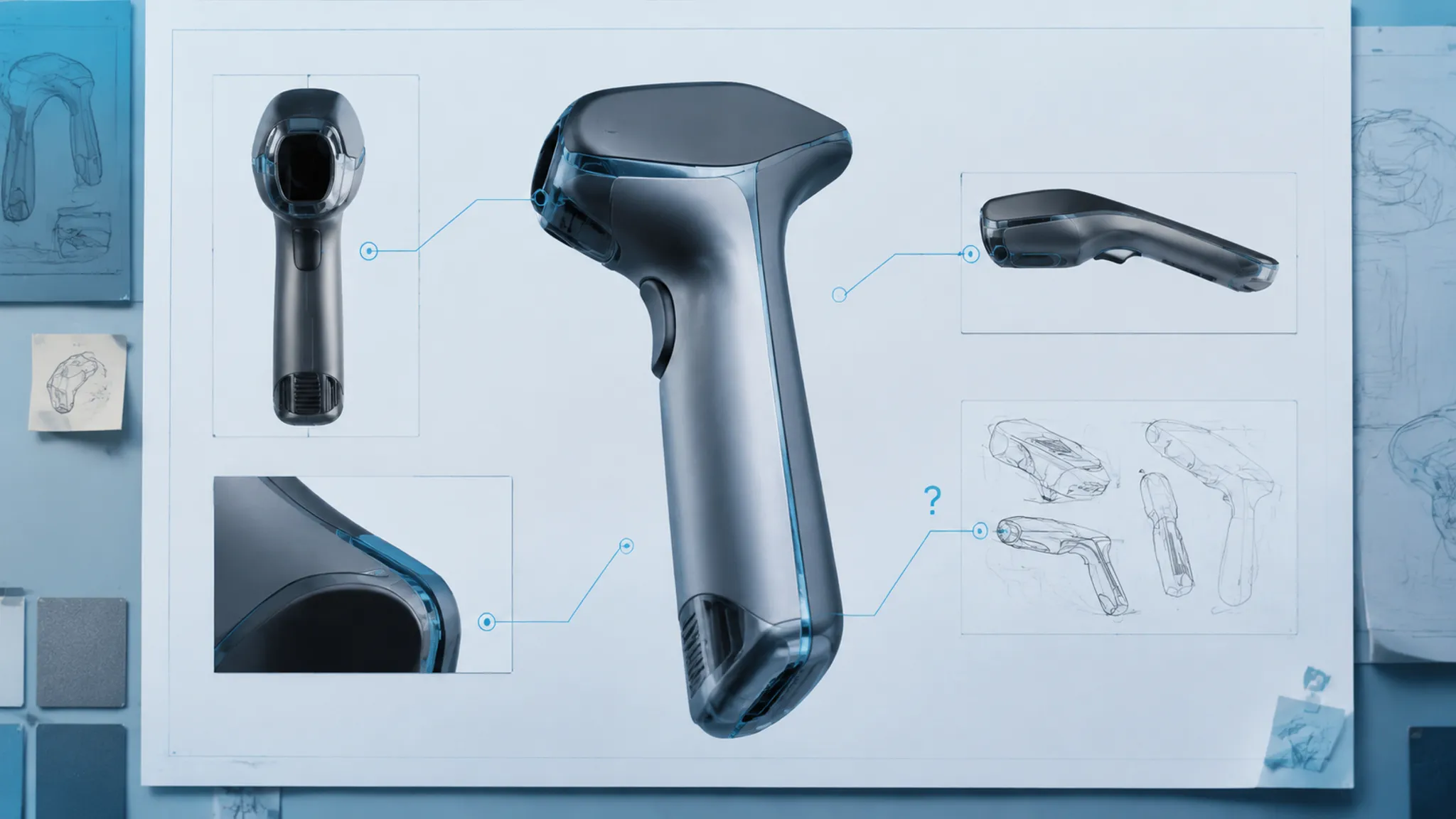
Start With the Review Decision
Before adding a label, state what the viewer must decide. A proportion study may ask whether the upper housing feels visually heavy. A material study may ask whether an edge break supports the intended finish contrast. A use-context preview may ask whether the control area remains legible from the intended viewing angle.
These are different review questions. They should not share one vague annotation style.
A useful opening record contains:
- The view being reviewed
- The marked feature
- The visible observation
- The intended interpretation
- The unresolved assumption
- The comparison or source
- The current status
- The owner of the next question
Front three-quarter view. The lower body reads wider than the sketch. Compare against Direction B before revising the silhouette. Ergonomic clearance remains untested. Industrial design owns the visual revision; engineering must review the later dimensional question.
The note does not need to settle every issue. It needs to show what is visible, what is inferred, and what happens next.
What Makes an Annotation Actionable?
Actionable annotations connect an observable feature to a decision. “I do not like it” records a reaction without identifying its cause. “Make it pop more” suggests an effect without stating whether the change concerns contrast, lighting, color, roughness, or composition.
Rewrite the reaction as an inspectable question:
- Does the silhouette lose its intended taper at the rear three-quarter angle?
- Is the edge break too soft to separate the housing from the insert?
- Does the finish contrast survive the current lighting setup?
- Does the scale cue communicate hand placement without implying a confirmed grip size?
- Does the control area remain visible in the intended use context?
- Does the render introduce a material assumption that the reference does not support?
A good note helps another reviewer locate the issue, interpret its significance, and choose a next action.
Use a Visible Feature, Not a General Impression
The annotation should identify the smallest useful visual unit. That unit may be a silhouette segment, a transition between surfaces, an edge break, a seam, a control location, a finish boundary, a shadow that changes perceived massing, a scale cue, or a background element.
The more specific the marked feature, the easier it becomes to compare the same issue across views or directions. A broad label for an entire housing can hide separate questions about silhouette, transition, and finish.
Separate Observation From Interpretation
A visible observation describes what appears in the image. An interpretation explains what the team may be reading from it.
- Observation: The side wall appears nearly vertical in the side view.
- Interpretation: The body may read as more rigid and less tapered than the sketch intended.
- Unresolved assumption: The current camera angle and lighting may exaggerate that reading.
- Next check: Compare the same transition in an orthographic or alternate three-quarter view.
This structure prevents a visual impression from becoming an unsupported product claim.
The Concept Render Annotation Checklist
Use the following checks for each callout, label, or caption attached to a concept render.
1. Identify the View
Record the view clearly enough for another person to find it. Include the view name, direction, or board position when the project uses those conventions. A note attached to one image should not be assumed to apply to every angle.
- Is this a front, side, rear, top, detail, or three-quarter view?
- Is the camera angle fixed or exploratory?
- Does the note apply only to this preview?
- Is another view needed to test the interpretation?
Perspective can make a feature appear larger, smaller, deeper, or closer than it appears elsewhere. The annotation should preserve that context.
2. Mark the Feature Precisely
Keep the callout associated with the feature under review. A long leader line crossing several surfaces can create uncertainty about its target.
- Does the marker terminate at the intended feature?
- Does it overlap a highlight, shadow, or adjacent part?
- Would a reviewer identify the same surface without verbal explanation?
- Does the marker remain clear when the render is resized for a presentation board?
If the feature is broad, divide the note into smaller review areas. Precision makes later comparison possible.
3. Describe What the Render Shows
Use concrete visual language: silhouette, massing, proportion, transition, edge break, finish, viewing angle, scale cue, and use context. These terms replace broad reactions with observations that can be checked against another image.
The front transition becomes visually sharper below the display area.
A render can show a visual condition without establishing the exact radius, clearance, wall thickness, or mechanism. Dimensional and mechanical questions belong with the relevant model, drawing, specification, or test record.
4. State the Intended Reading
A render often communicates more than the annotation names. State the intended reading when lighting, reflections, or compositing could create competing interpretations.
- The upper band is intended to read as a separate trim element.
- The dark region is a finish contrast, not a recessed opening.
- The rear volume is a visual massing direction, not a confirmed internal component.
- The hand reference provides context for scale perception, not an ergonomic result.
- The soft highlight reveals the edge break without establishing a specific material behavior.
This is where the render adds a decision the sketch did not make. Record that added reading rather than allowing it to pass as established form.
5. Record the Unresolved Assumption
Every concept render contains assumptions. Record the ones that could change the next decision.
- The proportion may depend on a scale that has not been confirmed.
- The apparent opening may not represent a defined mechanism.
- The finish response may be illustrative rather than based on a selected material.
- The control reach remains a question for later ergonomic review.
- The joining detail is not established by the presentation image.
- The reference asset may require separate source or reuse confirmation.
- The current camera may conceal a conflicting condition on another side.
An unresolved assumption is useful when it has a route. Name the model, drawing, source record, review owner, or physical check that must address it.
Compare Directions Without Mixing Their Evidence
Concept comparison becomes unreliable when each direction is annotated against a different visual question. Set a shared comparison frame before reviewing alternatives.
For each direction, use the same:
- View or camera family
- Primary feature
- Review question
- Scale cue
- Finish reference
- Status language
- Decision owner
Then compare what changes visibly.
| Review item | Direction A | Direction B | Next check |
|---|---|---|---|
| Silhouette | Longer rear taper | Fuller rear mass | Compare side and three-quarter views |
| Edge break | Softer visual transition | Sharper visual transition | Check finish separation under shared lighting |
| Control area | More exposed | More integrated | Route reach and access questions to the appropriate review |
| Unresolved assumption | Scale cue may exaggerate length | Rear volume may imply hidden structure | Confirm the intended reading before progressing |
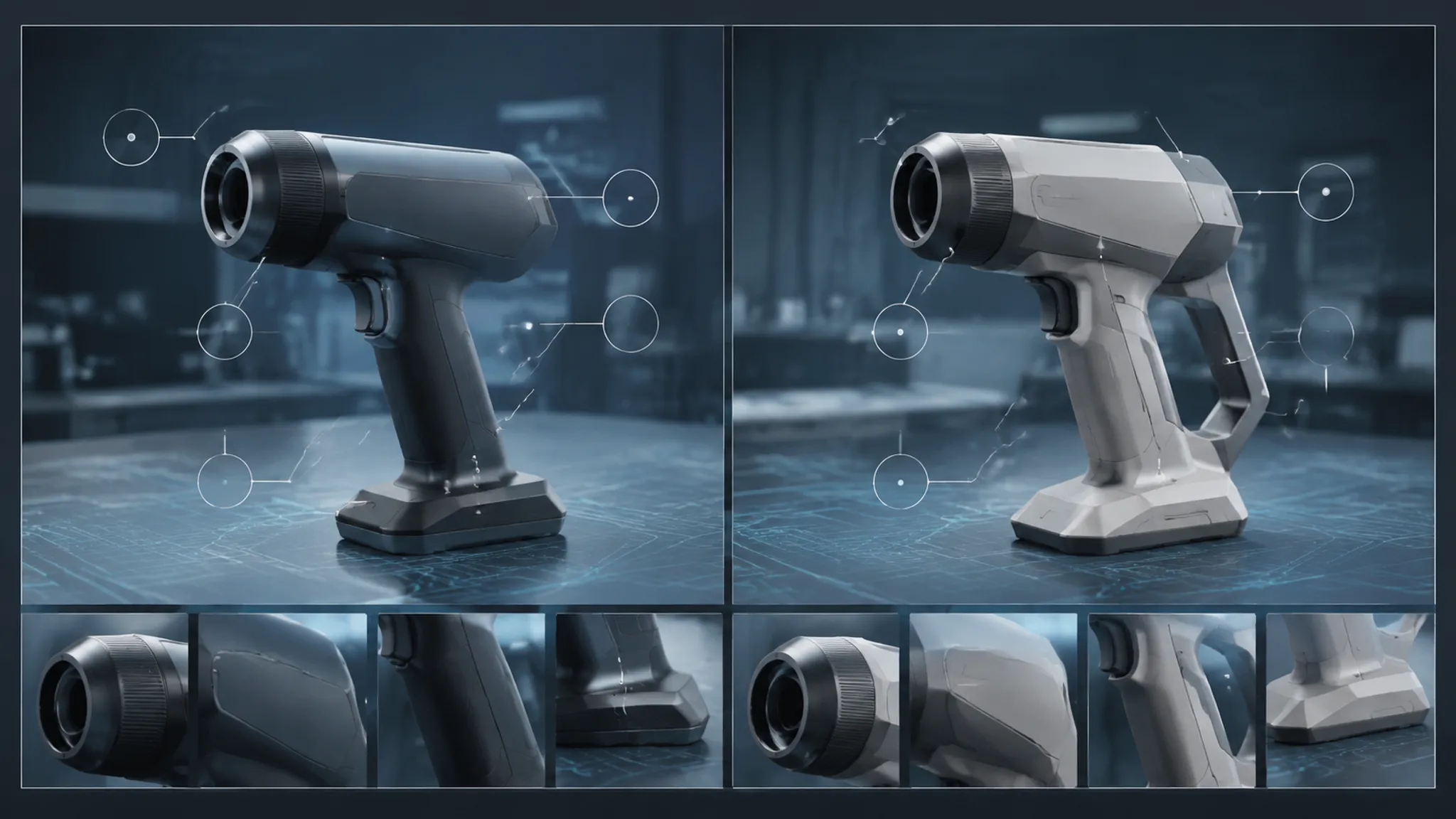
The table is a review record, not a product score. It preserves the reason for comparison and identifies what remains open.
Compare Like With Like
A brighter render may appear more legible because of lighting rather than geometry. A darker finish may make a transition appear deeper. A tighter crop may make the product feel larger within its context.
When comparing directions, record which visual variable changed:
- Form
- Camera
- Lighting
- Finish
- Background
- Scale cue
- Context
- Annotation placement
If several variables change at once, record that limitation. The comparison may support a directional discussion, but it cannot isolate which change caused the different reading.
A Render Annotation Review Workflow
A repeatable workflow can move from visual clarity to handoff without making the annotation system more complex than the design problem.
Pass One: Orientation
Confirm that the reviewer can identify the render, view, direction, and concept status. Remove labels that depend on hidden project context. If the version or camera is unclear, the review record begins with avoidable uncertainty.
Pass Two: Feature Association
Inspect each marker and leader line at normal presentation size, then at the size used for review or handoff.
- Ambiguous targets
- Crossed leader lines
- Labels detached from their features
- Text obscured by the render
- Markers disappearing against the background
- Repeated labels using inconsistent names
Authoring tools may offer snapping, alignment, or orthographic behavior, but those functions are tool-specific. Review the exported deliverable rather than assuming the authoring view represents the final result.
Pass Three: Interpretation
Ask whether the note tells the viewer how to read the marked feature. “Material” may be too broad when the actual question concerns finish contrast. “Button” may overstate what the image establishes when the shape could be a placeholder or visual reference.
State the intended interpretation and identify any competing reading.
Pass Four: Traceability
Connect the note to the material that can test or extend it. Depending on the question, that may be the originating sketch, another concept direction, a material and finish reference, a visual development brief, a source record, a CAD model, an engineering drawing, a specification, a review decision, or a prototype record.
ASME Y14 and ISO technical-document sources can help locate the boundary when a note approaches formal drawing terminology, dimensions, symbols, tolerances, or product documentation. They do not turn a presentation render into an engineering document or establish compliance or feasibility.
Pass Five: Action and Ownership
End each meaningful annotation with a status and next owner. Useful status terms include:
- Open
- Under comparison
- Needs source confirmation
- Visual direction accepted for the next review
- Route to CAD
- Route to engineering
- Route to accessibility review
- Route to physical inspection
- Deferred
Use a status that describes the review state, not the quality of the product. “Visual direction accepted for the next review” stays within the evidence available.
Make Annotations Traceable Across Handoff
A traceable annotation survives movement between people, files, and review sessions. Use a compact identifier when the project includes multiple views or directions. A record such as R03-V2-FE04 can identify render three, view two, and feature four, provided the project defines that naming convention.
Each record should allow a later reviewer to answer:
- Which render version was reviewed?
- Which view contains the feature?
- What was observed?
- What interpretation was intended?
- What changed after the review?
- Which assumption remains unresolved?
- Who owns the next action?
- Which source or file should be checked?
Preserve the rationale when the team changes direction. A final choice without its rejected alternative can send the same question back into the next review.
Written notes support discussion; they do not replace it. Direct conversation may expose a conflict that the image alone cannot reveal, especially when several annotations refer to the same transition or use context.
Caption QA for Render Walkthroughs
A still render annotation and a caption for a prerecorded walkthrough serve different roles. W3C describes captions for prerecorded audiovisual media as synchronized text that can include dialogue, speaker identification, and relevant non-speech audio. That guidance belongs to the media and delivery context under review; it does not make captions a universal requirement for every still image.
For a render walkthrough, review the caption track separately from visible callouts and image text.
- Does the text remain synchronized with spoken or relevant audio content?
- Are speakers identified when that distinction matters?
- Are meaningful non-speech sounds represented when they affect understanding?
- Does the caption describe the review point without claiming unshown product behavior?
- Is the caption readable against the presentation?
- Has the project identified its guideline version, delivery medium, and conformance scope?
- Is a transcript or text alternative required for the delivery context?
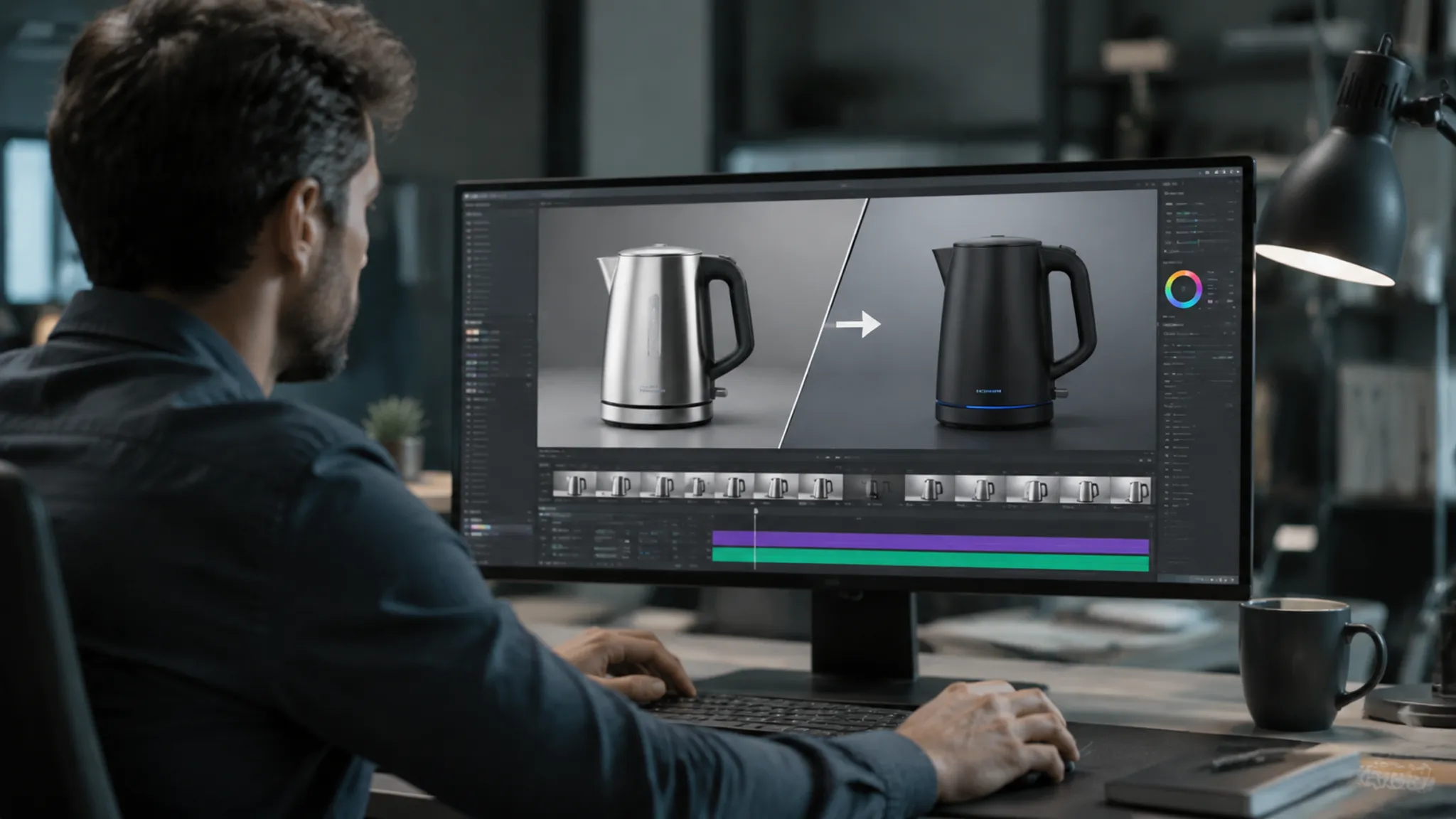
A caption is not a substitute for alt text, a transcript, a visible annotation, or a technical note. Each serves a different communication purpose.
The comparison pauses on the rear transition to review its visual massing against Direction A.
That wording describes the review action without implying that the paused image establishes internal structure, confirmed dimensions, or material performance.
When a Note Becomes Technical Documentation
A note crosses into a different review track when it introduces formal technical meaning. Route the item when it includes:
- Dimensions or tolerances
- Formal drafting symbols
- Part references
- Mechanism descriptions
- Material-performance claims
- Joining or adhesive claims
- Manufacturing implications
- Safety or compliance implications
- Confirmed ergonomic conclusions
- Requirements for physical testing
Standards terminology can help identify the document boundary, but the applicable standard must be known for the project and document type. Mentioning a standard in a callout does not establish that the render follows it.
Visual opening shown in the concept render. Mechanism, dimensions, and service access remain unresolved. Route to the applicable CAD and engineering records.
Keep the visual direction available for discussion while routing unsupported behavior and performance questions to the records that can examine them.
Source and Rights Tracking Belong in the Record
A render may include reference imagery, material swatches, product comparisons, people, environments, or downloaded assets. An annotation can identify source context, but it cannot establish reuse permission by itself.
Record:
- The source or reference identifier
- What element it informed
- Whether it is a direct reference, abstraction, or placeholder
- What remains to be confirmed
- Who owns source confirmation
“Inspired by reference” is not a rights conclusion. Route permission and provenance questions to the responsible source or legal review process.
The same separation applies to material references. A swatch or photograph may support a visual direction, but it does not establish that the pictured finish behaves the same way on the proposed product.
A Practical Review Record
For each annotation, use this compact structure:
View:
Feature:
Visible observation:
Intended reading:
Unresolved assumption:
Comparison or source:
Status:
Owner and next action:
Example:
View: Front three-quarter preview, Direction B
Feature: Lower side transition
Visible observation: The transition reads as a broad, low-contrast plane under the current lighting.
Intended reading: The side should feel continuous, with a controlled edge break near the base.
Unresolved assumption: The finish reference may not support the current highlight behavior.
Comparison or source: Compare with the finish reference and Direction A under shared lighting.
Status: Under comparison
Owner and next action: Industrial design revises the visual study; material questions remain open for later confirmation.
This record is detailed enough to carry the decision forward without pretending that the render has answered later-stage questions.
Common Mix-Ups
Annotation Versus Caption
An annotation points to or names a feature in a still or static review asset. A caption supports understanding of prerecorded audiovisual content, including synchronized speech and relevant non-speech audio. They may appear together, but they should be reviewed under separate criteria.
Caption Versus Alt Text
A caption follows spoken content or identifies relevant audio information. Alt text communicates the purpose or meaningful content of an image within a digital delivery context. The appropriate requirement depends on the medium, audience, guideline version, and project scope. Labels alone do not establish conformance.
Render Review Versus Product Validation
A render can clarify silhouette, proportion, finish direction, viewing angle, and use context. It cannot establish dimensions, mechanism performance, ergonomics, manufacturing feasibility, safety, compliance, market acceptance, or physical behavior.
The image can help decide what to investigate next. The record or test assigned to that investigation still has to do the work.
Annotation Tool Versus Review Method
A drawing tool can place arrows, labels, boxes, and text. It cannot determine whether the marked feature answers the right question or whether the intended interpretation is supported by the current evidence. Review the communication method independently of the software.
Final Handoff Questions
- Can a new reviewer identify the view, direction, and marked feature?
- Does each note describe something visible in the current render?
- Is the intended interpretation separated from the observation?
- Are unresolved assumptions named rather than silently accepted?
- Can another view, reference, model, document, or test examine the open question?
- Are comparison conditions consistent across directions?
- Does each open item have a status and owner?
- Are caption, annotation, alt-text, and transcript needs reviewed according to the delivery medium?
- Have technical, manufacturing, accessibility, legal, source, and testing questions been routed to their appropriate records?
- Does the handoff preserve rationale, compromises, and the next decision?
The strongest annotation is not the longest one. It lets the next reviewer trace a visible feature to an intended reading, an unresolved assumption, and a concrete decision. The visual direction can be decided now; dimensional, behavioral, source, and testing questions remain open until their appropriate records or reviews address them.
Sources
- Understanding Success Criterion 1.2.2: Captions (Prerecorded) | WAI | W3C
- Web Content Accessibility Guidelines (WCAG) 2.1
- ASME Y14 | Y14 Standards - ASME
- ISO 10209:2022(en), Technical product documentation — Vocabulary — Terms relating to technical drawings, product definition and related documentation