
Concept Visualization QA
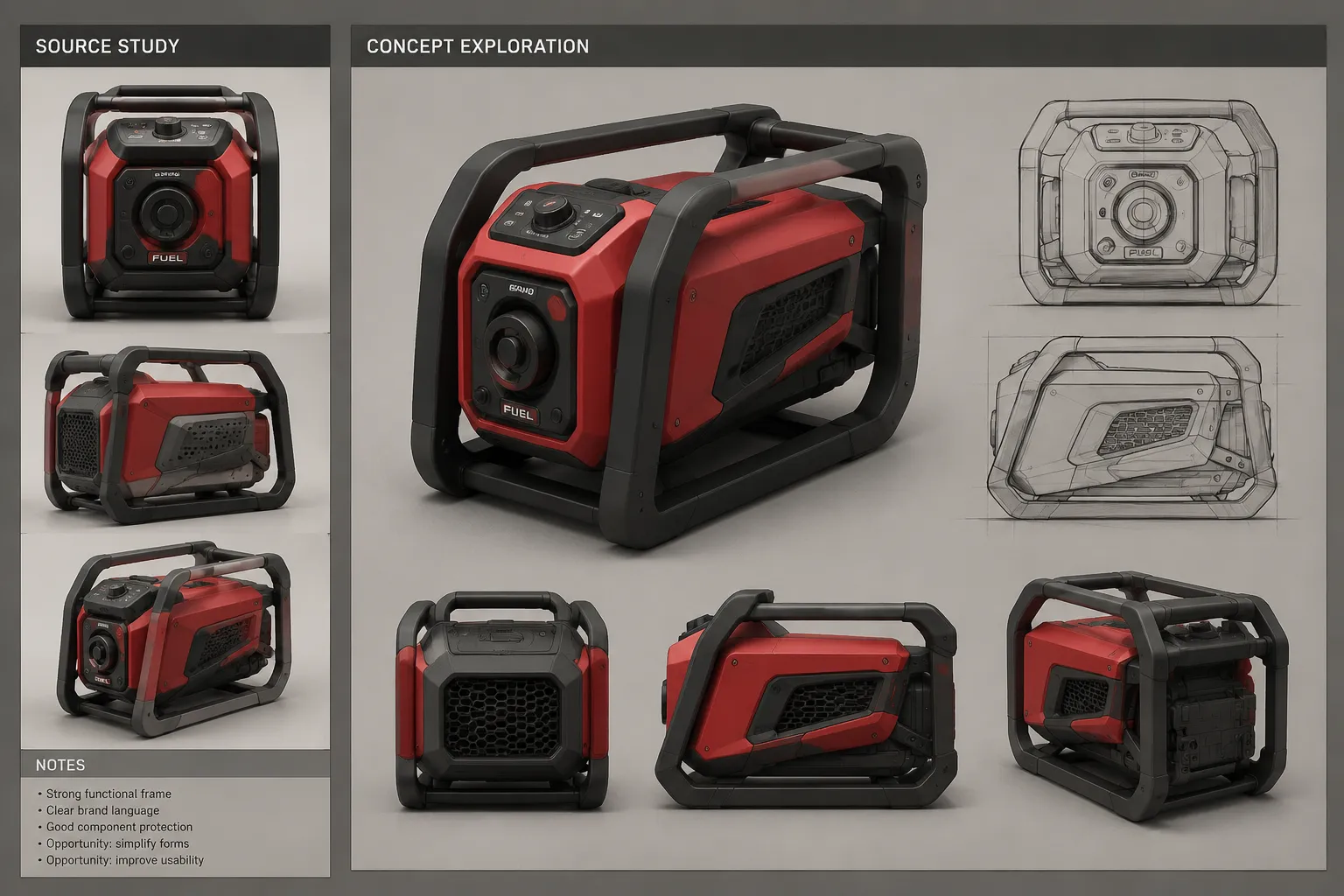
A concept render can look resolved while the concept itself remains open. Clean reflections, controlled lighting, precise edges, and a convincing use scene improve communication, but they can also make introduced assumptions feel settled.
A useful render quality checklist asks more than whether the image looks good. It compares the visualization with an identified source, isolates what changed, records how the image was produced, and separates visible evidence from questions that belong in CAD, engineering, sourcing, rights review, or physical testing.
The first review should produce four clear statements:
- What the source sketch or approved study shows.
- What the render preserves, changes, suppresses, or introduces.
- What the visualization makes easier to discuss.
- What remains unresolved and where that question should go next.
What Render Quality Means
Teams often use “quality” to describe several different things at once. A render may have strong image quality but weak fidelity to the source. It may communicate a compelling direction while leaving dimensions and mechanisms undefined. It may also preserve the concept closely while using lighting that hides an important transition.
| Review dimension | What to inspect | What a strong result means |
|---|---|---|
| Image quality | Resolution, noise, edge clarity, texture behavior, lighting, reflections, and post-processing | The image communicates visible features without production defects obscuring them. |
| Source fidelity | Silhouette, massing, proportions, transitions, openings, controls, and other intentional features | Preserved and changed features can be identified against a fixed source. |
| Presentation usefulness | Views, context, comparisons, captions, and annotations | The package supports its stated review purpose. |
| Evidence status | Observed, illustrative, inferred, hypothetical, generated, and untested elements | Reviewers can distinguish visible evidence from introduced assumptions. |
A polished image can perform well in the first dimension and poorly in the other three. Terms such as “realistic,” “precise,” “approved,” “viable,” and “ready for CAD refinement” remain incomplete until they are translated into observable checks or explicit downstream questions.
Start With the Source Comparison
The source may be a rough sketch, an approved drawing, a selected visual study, or an identified model version. Name it before reviewing the render. Without a fixed comparison point, reviewers can react to the image but cannot reliably identify drift.
Place the source and render side by side. Trace the object in a consistent order:
- Compare the outer silhouette.
- Compare the distribution of major masses.
- Check the principal width, height, depth, and thickness relationships.
- Trace transitions between volumes.
- Locate edge breaks, seams, openings, controls, and interfaces.
- Compare visible scale cues and use context.
- Record additions, omissions, and ambiguous interpretations.
Check another view before concluding that the geometry changed. Camera position, focal characteristics, crop, object rotation, and perspective can alter perceived spatial relationships. A three-quarter view may make a rear volume appear shorter, while a wide view can exaggerate depth. The impression matters because it affects the review, but it does not establish that the underlying form changed.
When several renders come from one sketch, compare the renders with each other as well as with the source. One version may turn a line into a seam, another into a shadow, and a third into a step in the surface. That variation exposes interpretive latitude. It does not establish which reading is correct.

A Practical Render Quality Checklist
Run the review in passes rather than trying to judge everything at once. Each pass should end with an observation, its consequence for the current decision, and a next action.
Set the purpose and baseline
State what the image is meant to support: direction selection, form discussion, proportion comparison, material exploration, control placement, use-context presentation, stakeholder communication, or preparation for a technical handoff.
The purpose determines which differences matter. A color study may not need the same geometric detail as a visualization used to discuss control reach. Record the source asset, version, and date. If the source changed during rendering, identify the last selected state and the later revision separately.
Inspect visible form
Trace silhouette, massing, principal proportions, transitions, edge breaks, openings, seams, controls, and scale cues. Inspect important features in more than one view, then assign a clear status:
- Preserved: represented consistently with the identified source.
- Changed: visibly different from the source.
- Introduced: present in the render but not established by the source.
- Suppressed: present in the source but missing or obscured in the render.
- Unclear: not judgeable from the available views.
This vocabulary is more useful than a general fidelity score because it shows where the next discussion belongs. Attractive changes deserve the same scrutiny as obvious defects. A smoother transition or thinner edge may improve the image while moving away from the selected direction.
Inspect image production
Look for defects that change how the concept is read:
- Noise in shadows, reflections, or fine details
- Insufficient resolution for the intended display size
- Aliasing, halos, excessive sharpening, or compression artifacts
- Stretched textures or visible UV discontinuities
- Texture scale that conflicts with the apparent object scale
- Reflections that do not correspond with the visible lighting environment
- Shadows with inconsistent direction, softness, or contact
- Depth of field that hides transitions or controls
- Exposure that removes light or dark surface detail
- Post-processing that shifts color or conceals defects
Correcting these issues makes the image more dependable as a communication tool. It does not answer physical questions about the proposed product.
Inspect material, context, and language
Describe what is visible before naming what the surface supposedly is. Record color, highlight spread, apparent roughness, reflectance pattern, transparency, texture scale, and visible variation. Then ask whether the render introduced a material identity, construction cue, scale reference, or use environment that the source did not specify.
A dark reflective surface might be interpreted as coated plastic, tinted glass, or polished metal. Unless another record resolves the choice, the material remains illustrative. Rendering properties such as base color, roughness, metallic response, opacity, and surface normals describe an image-production model. They do not identify a physical material or establish measured surface properties.
Context requires the same scrutiny. A scene can imply scale, durability, weather exposure, accessibility, or a particular pattern of use. Keep it when it serves the review purpose, but identify it as hypothetical when the source does not support the implication.
Finally, compare every caption, callout, label, and heading with the image. Useful status terms include:
- Observed: directly visible in the identified source.
- Illustrative: added to communicate a possible direction.
- Inferred: interpreted from incomplete source information.
- Hypothetical: included to frame a discussion or use case.
- Generated: produced through a generative process.
- Untested: not yet checked through the required downstream method.
Replace broad judgments with inspectable statements. “This looks more precise” becomes “The side transition now follows the selected sketch consistently in both views.”
Choose the Next Review Route
The root review should reveal where more detailed work is needed without trying to complete every specialist review. Route each issue according to the uncertainty that changes the next decision.
| Route | Use it when | Carry forward |
|---|---|---|
| Form and proportion preflight | Disagreement centers on silhouette, massing, transitions, openings, control spacing, or another visible relationship. | The isolated feature, source view, render views, observed difference, and open geometry question. |
| Material, finish, and context QA | Lighting, texture, apparent roughness, material identity, scale cues, or use context may be overread. | A description of visible appearance, introduced cues, and the specification or test question still required. |
| Annotation and caption QA | Words imply a stronger status than the image or record supports. | Corrected wording, accurate leader lines, consistent view names, and explicit status labels. |
| Source record QA | Reviewers cannot reconstruct which source, version, settings, edits, or references produced the output. | Asset history, production context, external references, selected output, and reviewer decision. |
| Evidence boundary QA | Presentation polish is being treated as support for physical, technical, commercial, or rights conclusions. | The visible claim, the unsupported inference, and the appropriate verification route. |
| CAD and engineering handoff | The visual direction is clear enough to describe, but dimensions, mechanisms, interfaces, materials, or testing remain open. | Selected visual intent, alternatives considered, unresolved assumptions, and specific technical questions. |
For example, the render may make proposed handle clearance visible. That supports a discussion about the intended relationship between handle and body. Reach, comfort, loading, attachment, and dimensions remain separate questions for controlled geometry, technical review, or physical testing.
The same distinction applies to surface appearance. A surface may appear rough or polished, but an image does not establish a measured finish parameter. A formal specification requires the relevant parameter, units, conditions, and technical basis.
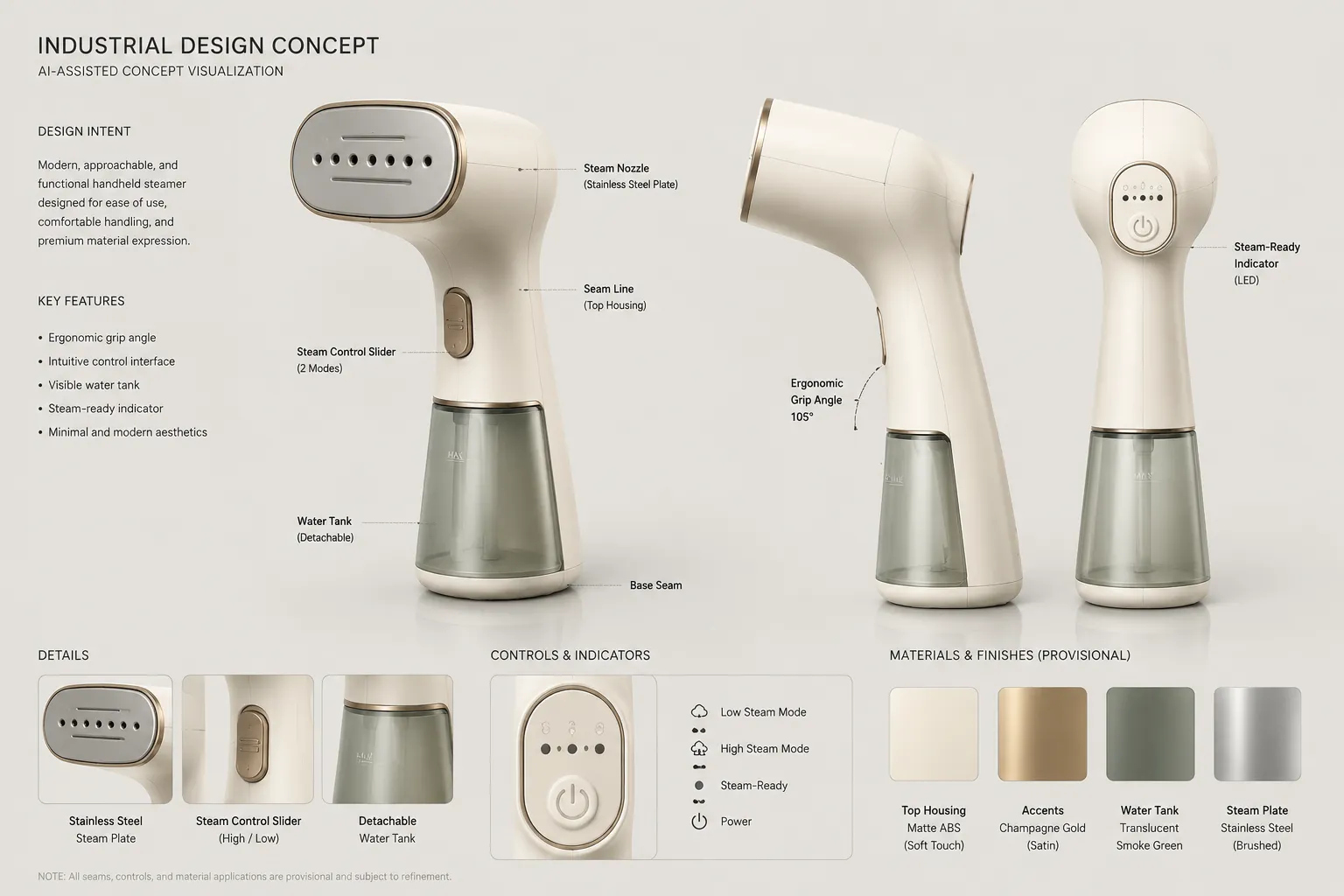
Track Assumptions in AI-Assisted Renders
AI-assisted visualization can produce several plausible interpretations from limited input. This increases the value of comparison because variation between outputs reveals where the source allowed more than one reading.
Inspect whether an output introduced or changed:
- Silhouette or volume relationships
- Openings, seams, joints, and edge breaks
- Buttons, displays, ports, or controls
- Logos, text, symbols, or branding
- Material and color assignments
- Fasteners or construction cues
- Background objects and use context
- Hands, scale references, or interaction poses
- Reflections that suggest unseen geometry
- Details that vary between views
Retain the source image, selected output, relevant generation record, later edits, and reviewer decision. Write each introduced feature as a provisional decision or question. For example: “The render introduces a rear seam. Is this a part split, a decorative break, or a generation artifact?”
A generated 3D export needs a separate inspection. Confirm that the file opens in the intended environment, then inspect scale, geometry, dimensions, editability, coordinate orientation, material assignments, texture mapping, and provenance as relevant to the next workflow. Successful export establishes that a file was produced. Its suitability for technical development remains to be checked.
Build a Review Record That Can Move Forward
A durable record connects the visualization to the materials and decisions that produced it. Include enough context to explain why outputs differ and which one was actually reviewed.
Useful record fields include:
- Source asset name, version, creator, and date
- Render or generation tool and relevant version
- Model, scene, or study version where applicable
- Relevant generation instructions or production settings
- Camera position or named viewing angle
- Crop, output dimensions, and intended display context
- Local edits, compositing, and color adjustments
- Generated, reconstructed, or inferred elements
- External visual references
- Intended review purpose
- Reviewer decision and requested revisions
- Unresolved assumptions and next owner
Record rights context separately from visual quality. Note the source origin, creator, stated license or permission status, intended use, and unresolved ownership questions. Public availability or possession of a file does not by itself resolve whether the material may be reused. Specific rights decisions depend on the source, intended use, and applicable jurisdiction.
A compact issue log can use one row per review point:
| Feature | Source observation | Render change | Review consequence | Status | Next action |
|---|---|---|---|---|---|
| Side transition | Sketch shows a continuous curve. | Render introduces a sharper break. | The direction appears more segmented. | Inferred | Compare with an alternate side view. |
| Front control | Position is loosely indicated. | Render fixes its position and size. | The layout may be read as settled. | Generated assumption | Carry a placement question into CAD. |
| Body finish | Source does not specify a material. | Render shows broad metallic highlights. | Material identity may be overread. | Illustrative | Retain only as a finish direction. |
| Rear seam | Not visible in the source. | Appears in one output. | Suggests an unsupported part split. | Unresolved | Remove it or document it as an option. |
| Use scene | No context appears in the source. | Product is shown beside a hand. | The scene introduces a scale cue. | Hypothetical | Confirm the intended scale separately. |
This structure keeps observation, interpretation, and action separate. It also prevents a correction from disappearing into a new export without a record of why it changed.
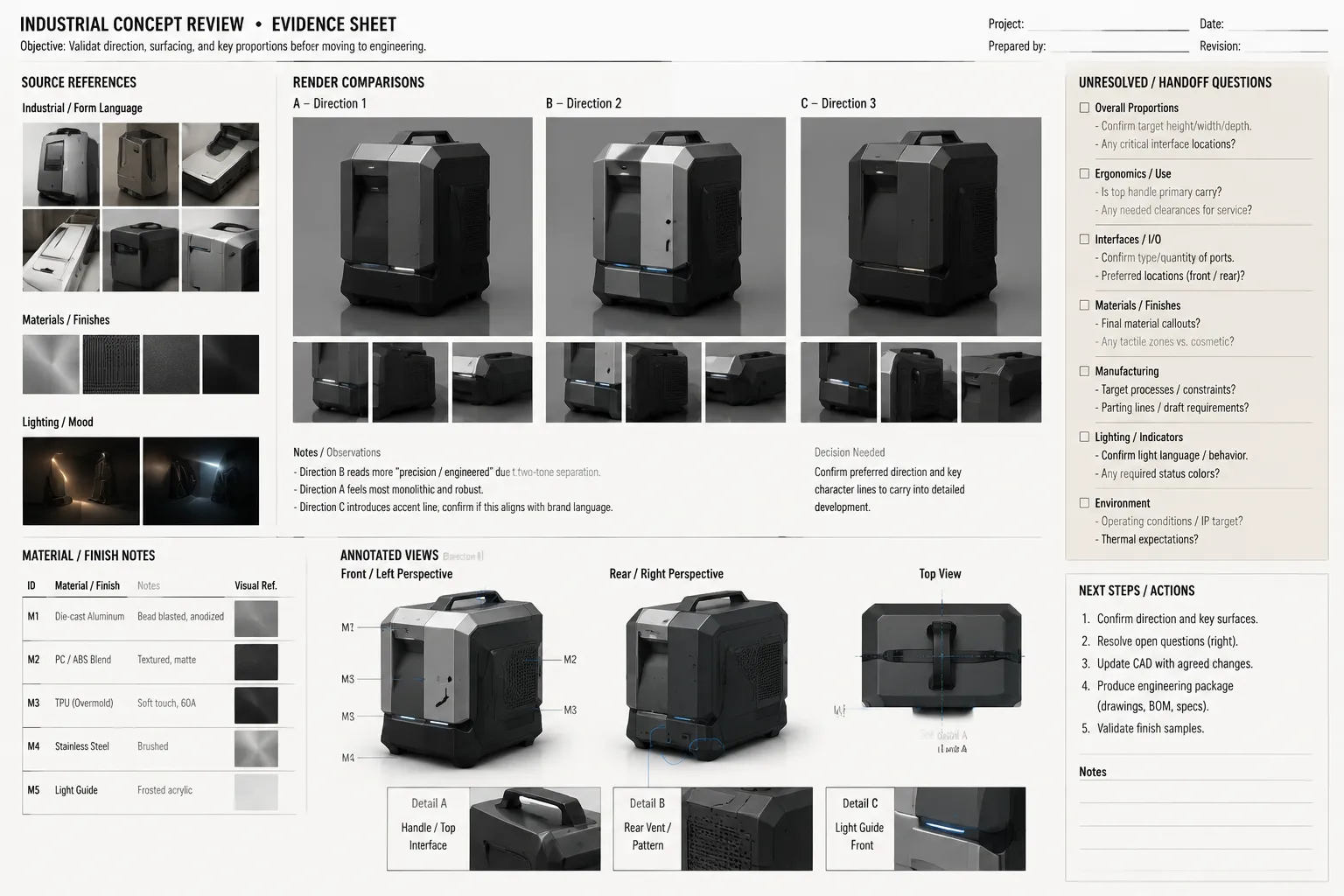
Prepare the handoff questions
Group unresolved questions by decision type rather than asking the render to answer them:
- Geometry: Which dimensions, radii, wall relationships, clearances, alignments, and interfaces need controlled definition?
- Mechanisms: Which movements, attachments, loads, access paths, or internal arrangements remain unresolved?
- Materials and finishes: Which physical materials, coatings, texture requirements, finish parameters, and color controls need specification?
- Use: Which reach, grip, visibility, maintenance, assembly, cleaning, environmental, or misuse conditions require investigation?
- Manufacturing and sourcing: Which processes, part splits, draft conditions, tolerances, suppliers, or samples require review?
- Testing and documentation: Which measurements, prototypes, physical tests, technical drawings, source confirmations, or specialist reviews are needed?
Include the source comparison and assumption log with the handoff. The next team should be able to distinguish selected visual intent from renderer interpretation without reconstructing the history from disconnected files.
Common Review Questions
Can a photorealistic render be considered accurate?
Only in relation to a defined comparison. It may preserve visible features from an identified source or represent a selected visual direction consistently. Photorealism alone says little about dimensions, internal construction, physical materials, or performance.
How many views are needed?
Use enough views to inspect the features relevant to the decision. A second view is especially important when camera position, crop, overlap, or perspective could explain an apparent proportion change.
Should render noise fail a review?
It should trigger revision when it hides edges, transitions, texture behavior, or other evidence needed for the stated purpose. Minor noise may be acceptable in an early direction study but disruptive in a close material comparison.
What should happen when the sketch is ambiguous?
Record the ambiguity, compare plausible interpretations, and identify the decision that would distinguish them. Do not allow one polished interpretation to replace the source by default.
Does stakeholder approval settle the design?
Approval should be tied to a named decision and review purpose. Selection of a visual direction does not settle unresolved geometry, mechanisms, material specifications, physical performance, or downstream documentation.
When is a concept ready to move into CAD?
Render polish does not determine the transition. A useful handoff point is reached when the selected visual intent can be described, significant alternatives are recorded, and open geometry questions can be carried forward without treating the render as controlled technical data.
Sources
These sources support the terminology and boundaries used above. They do not provide a single end-to-end standard for concept-render QA.
- The PBR Guide - Part 1 explains common physically based rendering concepts and material-channel terminology.
- Camera Focal Length and the Perception of Pictures provides research context for how viewing conditions and focal characteristics affect picture perception.
- ASME Y14 Standards outlines standards associated with engineering drawings and product-definition practices.
- ISO 16792:2021 identifies requirements for digital product-definition data practices.
- Frequently Asked Questions: Industrial Designs provides general context for industrial-design rights and their jurisdiction-dependent treatment.