
Evidence Boundary QA
A concept render can settle one review question while quietly creating three more. It may clarify silhouette, finish direction, or use context, yet invite assumptions about scale, mechanism, material identity, or usability.
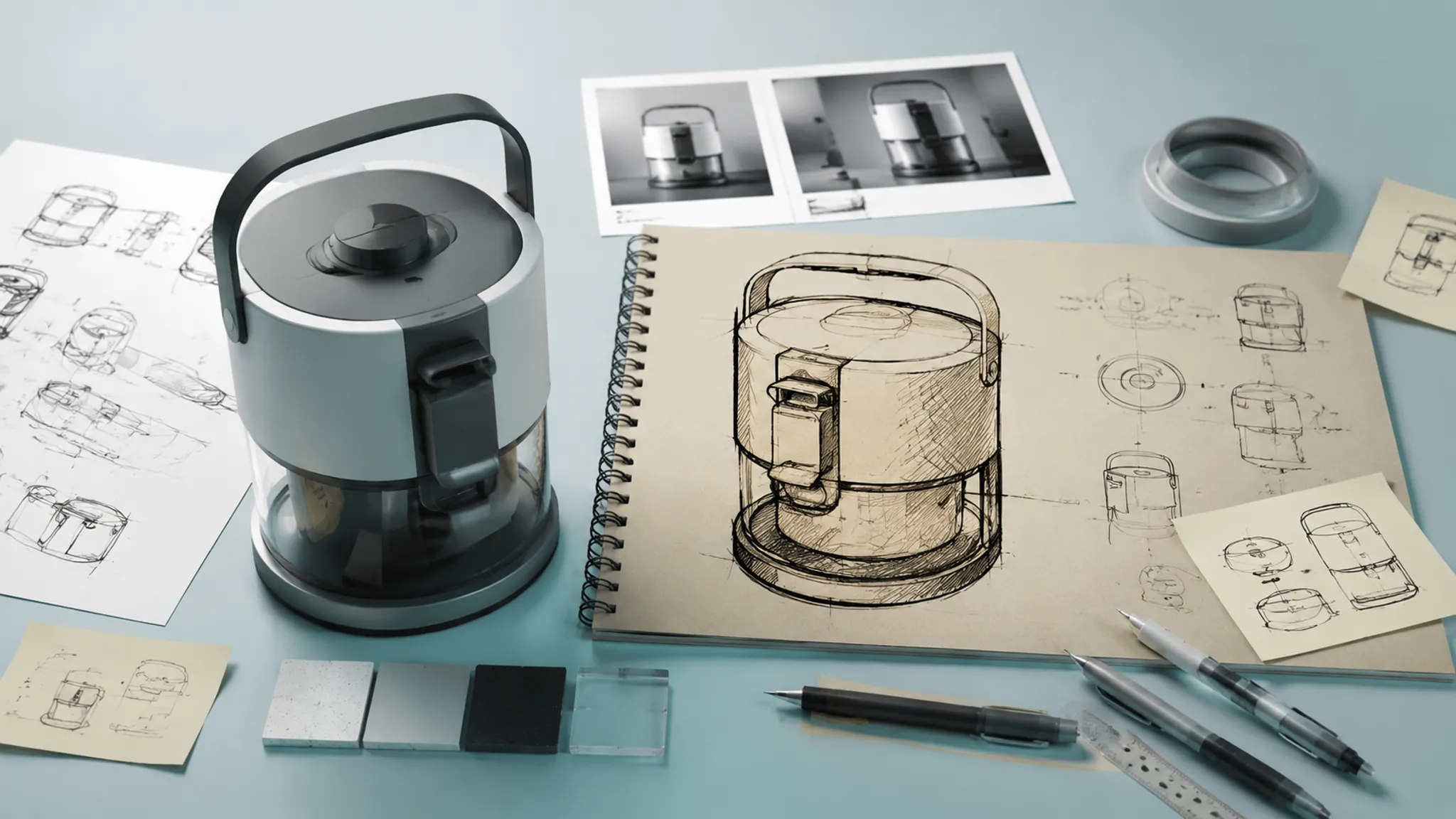
The practical task is to separate those layers before approval language travels beyond the evidence. An evidence boundary QA review asks four questions:
- What does the image visibly commit to?
- What does the viewer infer from it?
- Which inference remains unresolved?
- What record, review, or test should address it next?
Photorealism is a property of an image. It does not establish that the depicted product exists, works, fits, performs, can be manufactured, or satisfies a requirement.
What Concept Renders Communicate
A render communicates visual intent efficiently. The sketch may establish the basic idea, while the render introduces choices about presentation, surface treatment, lighting, framing, and context.
Inspect those choices as separate evidence units rather than treating the overall impression as one conclusion.
Silhouette and Massing
The silhouette shows the outer profile from one viewing angle. It helps reviewers compare massing, visual balance, major proportions, and the relationship between primary volumes.
A lens, perspective setup, lighting arrangement, or unobstructed background can make a body appear slimmer or more balanced than it may read from another view. Record the distinction:
- Observation: The upper housing narrows toward the front view.
- Interpretation: The product may feel lighter and more directional.
- Unresolved assumption: The narrowing may not hold across side and rear views.
- Next record: A controlled multi-view sheet or CAD review.
A strong front view supports a design direction. It does not establish complete geometry.
Edge Breaks and Transitions
Edge breaks, seams, gaps, fillets, and surface transitions carry much of a product's visual character. A render can show whether a transition is intended to read as soft, technical, continuous, articulated, or assembled.
These cues depend on the camera and light. A dark line may represent a physical gap, a shadow, a material boundary, or a post-processing choice. When that difference affects the decision, use another light direction, an annotated sketch, a sectioned view, or a model reference.
Finish Direction
A concept render can compare colour, sheen, roughness, reflection, grain, bump, and part differentiation. Those signals help select a finish direction and discuss the intended visual relationship between surfaces.
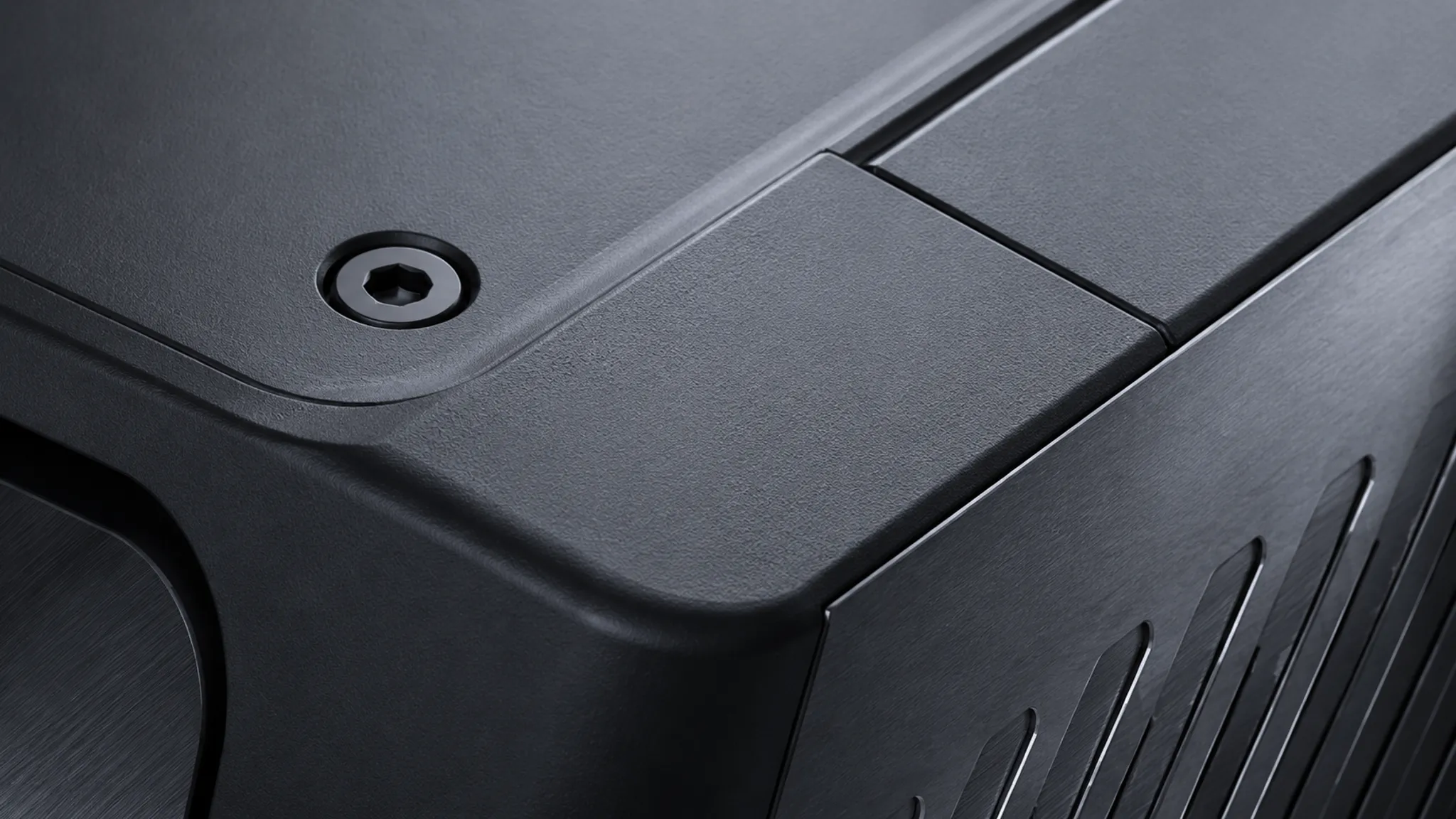
The image may communicate a low-gloss coated appearance or a brushed-metal direction. It does not establish the material, coating system, texture process, durability, or response under handling. Route those details to a finish reference, supplier record, specification, or later physical assessment.
The preview communicates a low-gloss, finely textured finish direction.
Perceived Realism and Its Limits
Perceived realism is assembled from several coordinated cues. Research on rendered scenes describes influences such as lighting, grounding, texture, material response, view-dependent effects, and small surface irregularities. That work concerns architectural scenes, so it is useful here as bounded perceptual vocabulary rather than direct product evidence.
Viewers may find a render convincing because contact shadows anchor the object, reflections suggest a surface response, roughness appears consistent, the camera supplies a familiar viewpoint, or the background creates a plausible use context.
Those cues improve interpretation of the image, but they do not confirm the corresponding physical conditions. A reflection can suggest a polished surface without confirming its material identity. A contact shadow can place an object on a surface without establishing its weight, stability, or load behaviour. A camera can make a control appear reachable without establishing ergonomic access.
| Image cue | Reasonable visual conclusion | Unresolved question |
|---|---|---|
| Highlight along a curved shell | The shell is intended to read as smooth or reflective. | Is the surface formed with that curvature and finish? |
| Dark line between parts | The design includes a visible separation or transition. | Is it a gap, seam, shadow, or material break? |
| Object beside a hand or familiar item | The image introduces a scale cue. | Does the cue represent the intended real-world size? |
| Control near the front edge | The presentation suggests a possible reach zone. | Can a user reach and operate it comfortably? |
| Soft deformation in the image | The render suggests a yielding surface. | Does the real material deform that way under use? |
A photorealism claim audit identifies what each cue does, then stops before the cue becomes unsupported evidence.
Render Fidelity and Interpretation
Fidelity is not one variable. It can refer to display detail, interaction, physical correspondence, environmental context, or functional behaviour.
Nielsen Norman Group's prototype-fidelity framework helps explain why additional detail can clarify an idea while also encouraging viewers to assume that more decisions are resolved. Its subject is interface prototyping, not product validation, so its role here is limited to interpretation and review framing.
A polished render therefore needs a declared purpose:
- Form direction: Compare silhouette, proportion, transitions, and visual hierarchy.
- Finish direction: Compare colour, roughness, reflection, and part differentiation.
- Context direction: Examine placement, use setting, adjacent objects, and presentation intent.
- Interaction question: Identify what requires a physical mockup, representative test, or documented human-centred review.
- Handoff communication: Record which elements are decided, illustrative, or unresolved.
The same image may suit one intent and mislead another. A detailed finish study can support surface comparison while distracting from unresolved massing. Carry a status label with the image: concept preview, form study, finish direction, illustrative context, presentation alternative, or pending dimensional confirmation.
The Variables That Change the Reading
Viewing Angle
The camera controls which relationships are visible and which remain hidden. Perspective can amplify depth, compress spacing, or make a transition appear more prominent.
Compare the selected view with an alternate angle when the decision concerns rear or underside geometry, thickness, control placement, alignment, clearance, symmetry, or the relationship between front and side surfaces. A single presentation view can represent intent without functioning as a complete geometric account.
Proportion
Proportion becomes easier to discuss when reviewers trace relationships instead of relying on broad reactions. Note the relative size of the base, body, controls, openings, supports, and visible interfaces.
Test whether the same proportion survives a side view, top view, scale-referenced context, line drawing, or current dimensional record. The render can expose a proportion problem; geometry or specification must support the final dimension.
Scale Cues
Hands, furniture, tools, rooms, and familiar objects make a render easier to read. They can also create false dimensional certainty when their own scale is unclear or the camera distorts the relationship.
Treat scale cues as communication devices first. Record the reference object and whether its dimensions are documented.
The preview places the product beside a hand to suggest handheld use. Actual dimensions and grip suitability remain unresolved.
Material Communication
Inspect roughness, reflection, grain, edge highlights, translucency, and contact behaviour as image signals. Compare them with the intended finish reference where one exists.
Coherent surface cues support a finish discussion. They do not establish material performance, wear, heat response, chemical resistance, or production process. Route those questions to the relevant specification, engineering review, supplier record, or physical assessment.
Use Context
Context shows intended placement and presentation. It can clarify how the product relates visually to a work surface, room, vehicle, person, or adjacent object.
It also introduces assumptions. Furniture may be a placeholder, posture may be illustrative, and the environment may imply a market or operating condition absent from the design record. Mark contextual elements as decided, illustrative, borrowed from a reference, generated for composition, or awaiting confirmation.
A Photorealism Claim Audit for Concept Renders
1. Name the Visible Evidence
Describe the image without outcome language. Note the narrow base, broad upper volume, low-gloss finish direction, elevated camera, hand scale cue, hidden underside, or represented control interface.
2. Separate Observation from Inference
Write down what a viewer may infer: a particular size, material, reach zone, moving relationship, stability, or existence in the shown configuration. An inference can guide a design hypothesis, but it is not a verified property.
3. Trace the Image Variable
Identify whether the impression comes from camera perspective, framing, shadow, reflection, texture, contrast, a context object, posture, apparent clearance, animation, or interaction. Then revise the image or add a reference where the variable is carrying too much meaning.
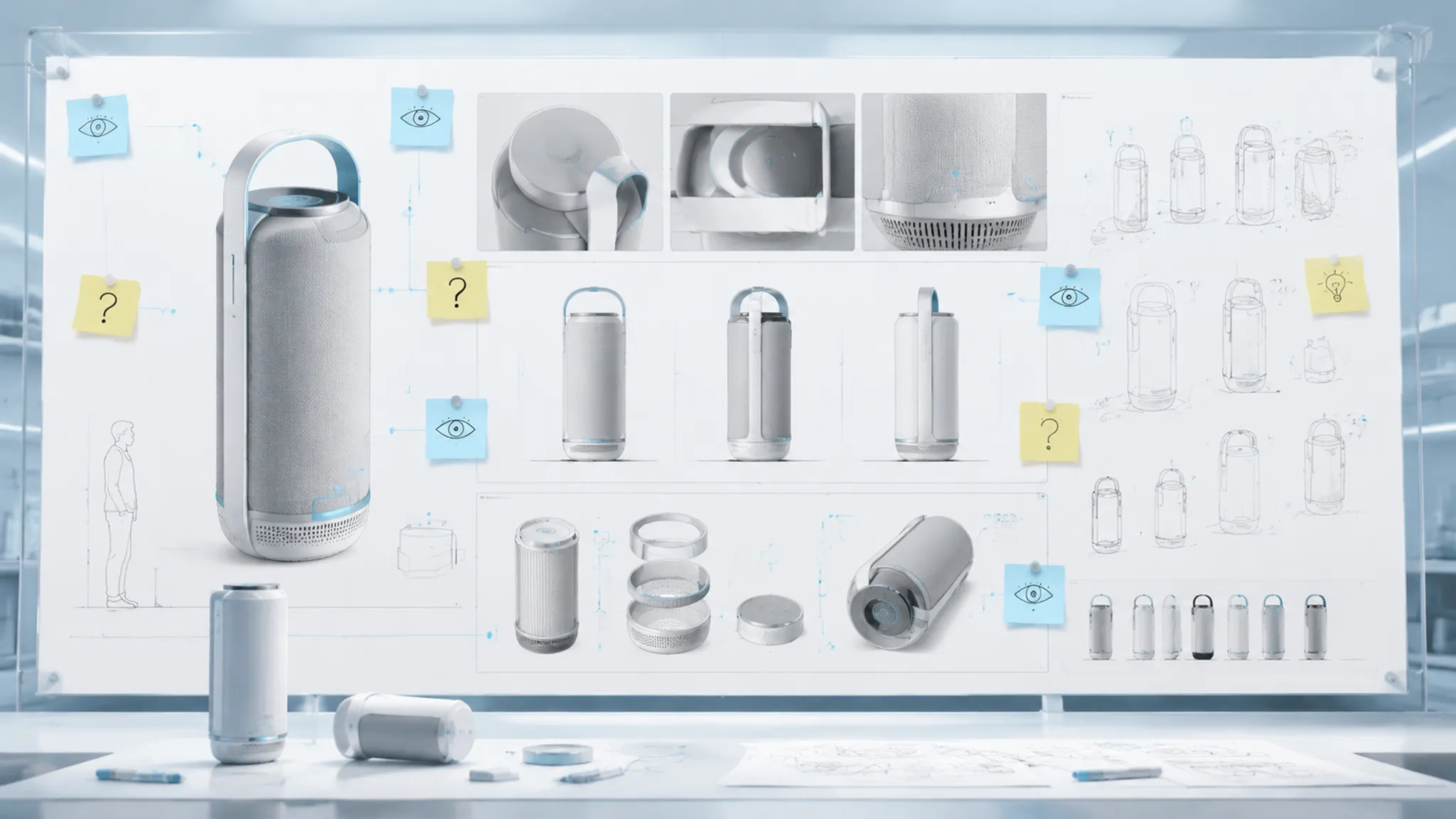
4. Compare Against Another Record
Use the appropriate comparison: a rough sketch, alternate render, orthographic view, finish reference, CAD view, physical mockup, dimensional specification, engineering note, representative test plan, or source and rights record.
The aim is not to make every artifact visually identical. It is to find where the presentation has added, suppressed, or altered an assumption.
5. Route the Unresolved Question
| Unresolved question | Next route |
|---|---|
| Is the proportion dimensionally correct? | CAD or dimensional review |
| Does the mechanism operate as shown? | Mechanism documentation or engineering review |
| Can the user reach, grip, or hold the product? | Representative ergonomic review or physical prototype |
| Does the surface behave as depicted? | Material specification, supplier confirmation, or physical assessment |
| Can the product be produced in this form? | Manufacturing review |
| Does the product meet a safety or regulatory requirement? | Appropriate documented review and testing |
| May the image or source asset be reused externally? | Source confirmation and rights review |
A render can reveal the question. The receiving record must answer it.
Render Versus Physical Prototype
A render supports rapid comparison of visual form, colour, finish, lighting, camera, and context. A physical prototype adds forms of inspection unavailable through an image, including scale, handling, surface interaction, posture, physical resistance, and environmental response, depending on the prototype and review method.
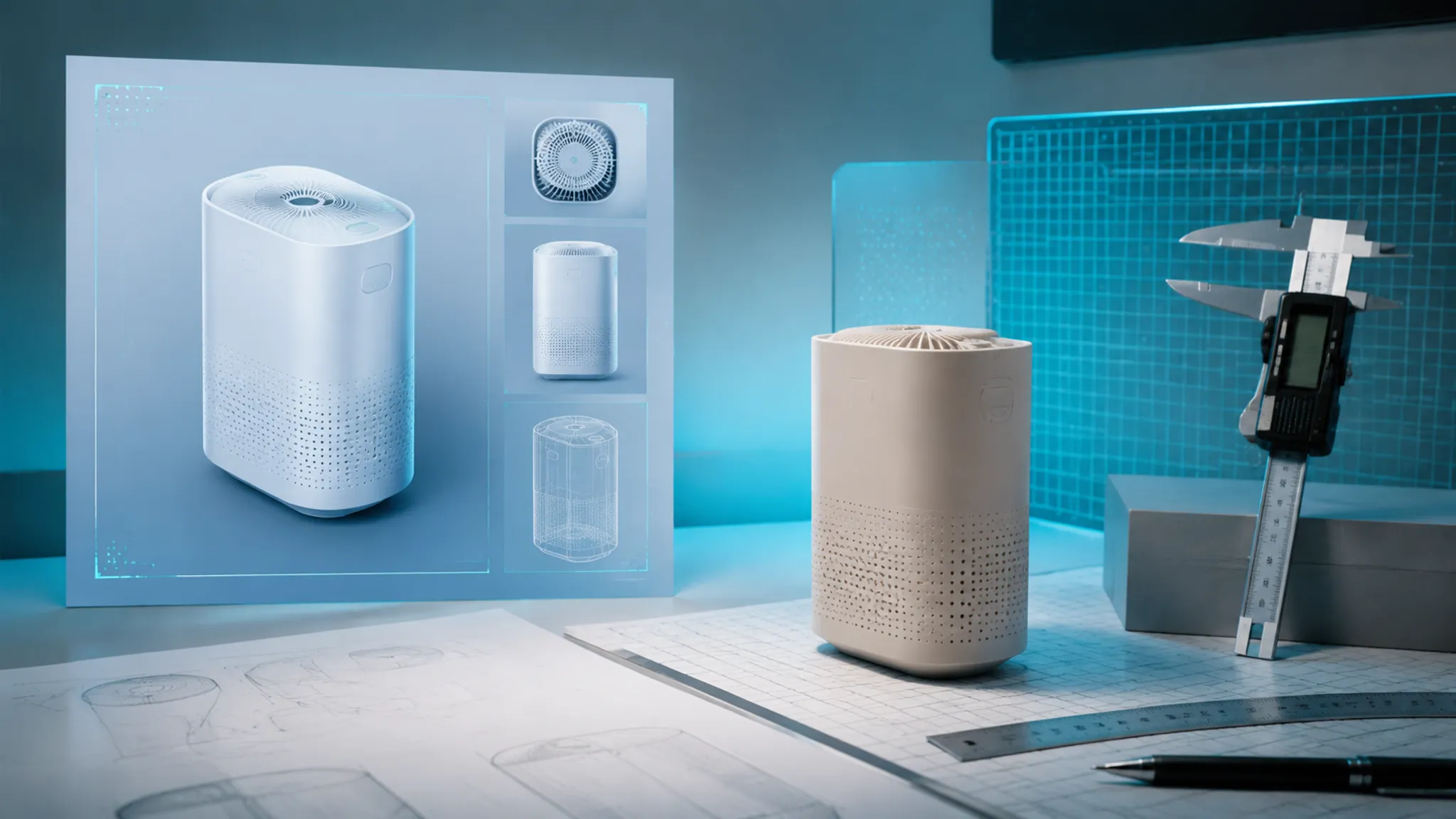
The distinction is not a contest between low and high fidelity. It is a question of which fidelity the decision requires.
- Visual review: Does the silhouette communicate the intended character? Do transitions distinguish the parts? Does the finish direction separate primary and secondary surfaces?
- Physical or documented review: Does the product fit the hand or workspace? Does a control move as represented? Does the material respond as expected? Does the assembly maintain the shown relationships?
Research on physical and virtual prototype evaluation is relevant to this distinction, but the supplied records do not provide enough verified methods and findings for detailed product conclusions. Use those records for evidence planning, not as a substitute for review or testing.
When Photorealism Leaves an Assumption Open
The warning sign is not that a render looks realistic. It is that the image looks more resolved than the design record.
- A provisional material receives a convincing surface response.
- An illustrative context is populated with realistic objects.
- A camera hides uncertain geometry.
- Shadows make a gap or joint appear decided.
- A scale cue implies a size that has not been documented.
- A product is shown in use before reach or handling has been reviewed.
- A concept preview is exported without its status label.
Visual detail should follow the review question. Keep finish detail quiet during silhouette comparison, hold camera and geometry constant during finish comparison, and label users, environments, and adjacent objects that remain illustrative during context review.
More realism is not automatically more useful. The appropriate detail depends on the decision, audience, and unresolved assumptions.
CAD, Engineering, and Source Boundaries
A concept render can prepare a CAD or engineering discussion by showing where questions exist. It should remain separate from the technical record.
Before handoff, compare the image with the current design source and mark geometry that is represented but not dimensioned, interfaces without a confirmed joining method, illustrative moving parts, finishes without specifications, perspective-dependent clearances, hidden surfaces, and details added for visual balance.
Use three labels:
- Shown: A rotary control is positioned on the front-right surface.
- Intended: The control should support a front-facing interaction direction.
- Confirmed: Pending mechanism, reach, and dimensional review.
This structure gives the next team a usable starting point without presenting visual polish as technical approval. The same discipline applies to external reuse. Retain image status, selected view, illustrative elements, material and colour references, model or asset sources, unresolved assumptions, and reuse status.
Source identification and visual QA are separate tasks. Do not describe an image as cleared for reuse without a documented rights process.
A Practical Review Record
Attach this compact record to each concept render:
- Review purpose: What decision is the image supporting?
- Visible commitment: Which silhouette, proportion, transition, finish, viewing angle, or context choice is shown?
- Viewer inference: What might a reviewer assume from the image?
- Evidence status: Is that assumption observed, documented, illustrative, inferred, or untested?
- Comparison required: Which alternate view, source, reference, CAD record, prototype, or test should be checked?
- Next owner: Which review or discipline receives the unresolved question?
- Reuse status: Could the image be mistaken for a final product representation outside the current review?
This record is short enough for a presentation board and detailed enough to prevent a visual decision from silently becoming a physical claim.
FAQ
Do concept renders prove product dimensions?
No. They can communicate proportion and include scale cues, but dimensions require a documented geometric or dimensional source.
Does a realistic material response establish the material?
No. Roughness, reflection, grain, and lighting can communicate a finish direction. They do not establish material identity or physical behaviour.
Can a render demonstrate usability?
It can show an intended use context or possible control position. Reach, grip, handling, comfort, and operation require appropriate documented review, representative testing, or physical inspection.
When should a physical prototype follow a render?
Use one when the decision depends on scale, handling, surface interaction, physical response, or another property unavailable through the image. Timing depends on the design stage and the question under review.
Is a higher-fidelity render always better for design review?
No. More detail can clarify some visual decisions while encouraging assumptions about unresolved ones. Match the image detail to the review purpose.
Can a concept render be used in external communication?
It can support external communication when its concept status, source context, unresolved assumptions, and reuse status remain recorded. Presentation imagery should not be mistaken for confirmed product information.
Final QA Question
Which conclusion does this render invite that the current evidence cannot yet support?
Record the answer and attach the next appropriate artifact: CAD review, engineering review, representative testing, physical prototyping, material confirmation, source confirmation, or another documented process. The image has served its review purpose when the design direction is easier to inspect and the unresolved question is harder to miss.
Sources
- The effect of sketch and render quality and design experience on concept evaluation in engineering design
- Design Drawing Parameters and its Impact on the Evaluation of Design Proposals
- VISUAL BEHAVIOUR IN THE EVALUATION OF PHYSICAL AND VIRTUAL PROTOTYPES
- ISO 9241-210:2019 Ergonomics of human-system interaction — Part 210: Human-centred design for interactive systems
- Prototypes: Low Fidelity vs. High Fidelity
- Construction of SVS: Scale of Virtual Twin's Similarity to Physical Counterpart in Simple Environments
- A Taxonomy of Six Perceptual Cues Underlying Photorealism in 3D-Rendered Architectural Scenes: A Cue-Based Narrative Review
- A framework of procedural considerations for implementing virtual reality in design review